
Δημοφιλείς Αναζητήσεις
σιτισηΒεβαιωσηΜερική φοιτησηΑναστολή σπουδώνανανέωση
Connect to the eduroam wireless network using Eduroam CAT
- Visit https://cat.eduroam.org/ and select the button “Click here to download the eduroam® installation package”
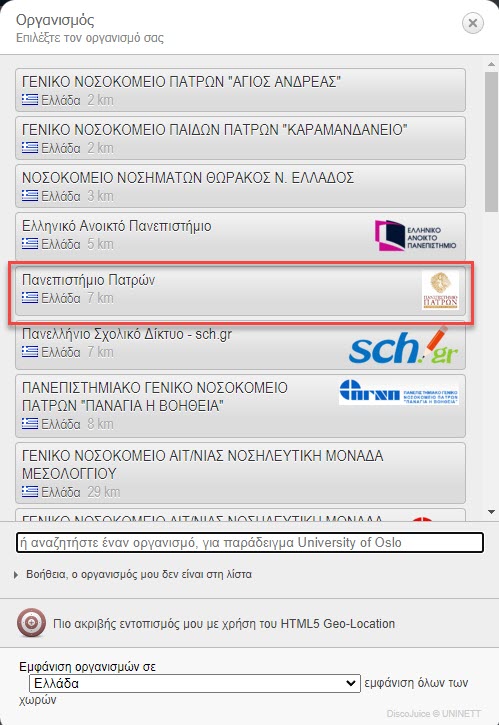
- From the available options, select University of Patras.
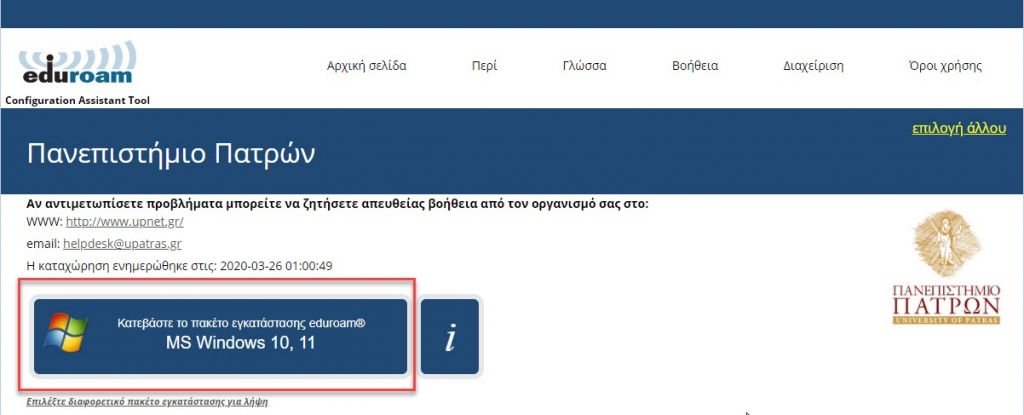
- Click the “Download the eduroam® installation package” button (the application automatically detects your operating system) to download.
- Run the downloaded file. You will be asked for your account details; enter your username with the @upatras.gr suffix, e.g., if your username is “user1234”, enter: “user1234@upatras.gr” (the same applies to undergraduate students. They should also choose username@upatras.gr even if they have an email in the format @upnet.gr). Then, enter your account password twice and click “install” to complete the installation. Immediately after, you can connect to the eduroam network.
Views : 1,088
Other questions in the same category4